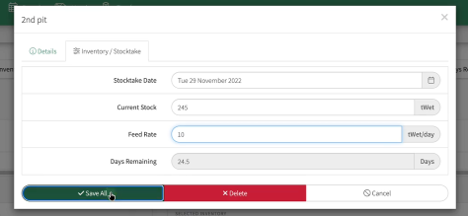
Feed Inventory
Create New Inventory by clicking on the green tab to the top left of your screen
-
Enter the Name
-
Feedstuff/Silo selector
-
Capacity
Select Save All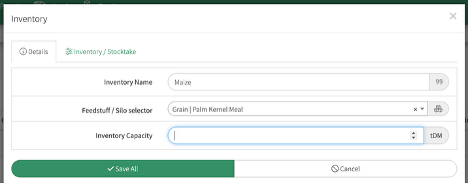
Tip: The Inventory can set to Wet Weight or Dry Matter under
Farm Settings>>Units of Measurement
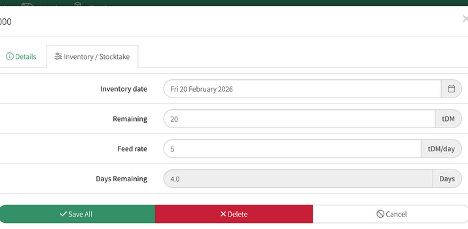
Inventory/Stocktake
Here you can keep track of your feed by entering the
-
Feed Remaining
-
Feed Rate
- PIO then calculates the days remain of feed on hand
Select the Inventory from the drop down list
There are three lines highlighting the
-
The Green shows the current stock
-
The Blue line shows, on the current feed rate, where it's projected to run out.
-
The Yellow line shows the planned projection
Click on the Stocktake to the top right of your screen