
-
Go to Herds
-
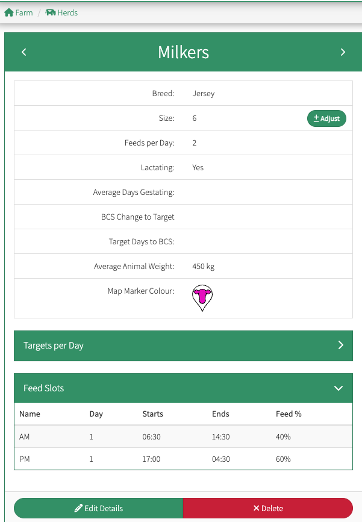
Select the herd you want to graze every 16 hours by clicking on the line of that herd
A window will appear to the left of your screen
-
Select Edit Details
You will need 3 feed slots spread across 48 hours for 16 hr grazing.
-
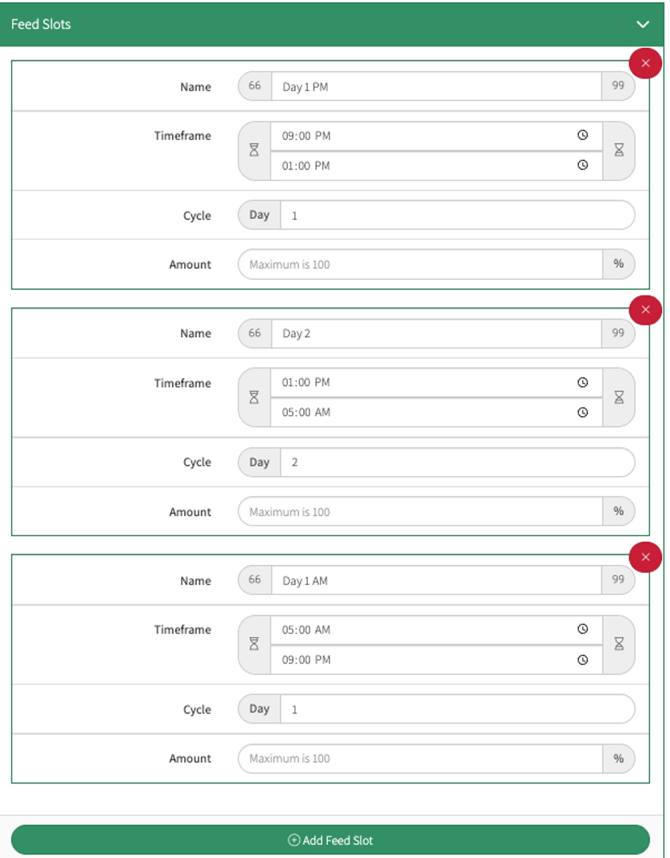
Click on the “+Add Feed Slot” until you have the required number of Feed Slots needed

-
Enter the details:
Name - Give your feed slot a name, this could be something like “Day” or “Night”, or “Day 2” (this needs to be a unique name not used in other feeds slots)
Timeframe - This refers to the time that the herd enters and leaves the paddock
Cycle - Enter 1 or 2 depending on the cycle day
Amount - you can either leave blank and the app will use the time differences to allocate the percentages, or for 16-hour you could put relevant allocation for the two days such as 60%, 60% and 80% (ie 2x 100%).
Example:
Feed slot 1 5 am to 9 pm (Day 1)
Feed slot 2 9 pm to 1 pm (Day 1)
Feed slot 3 1 pm to 5 am (Day 2)
-
Save All
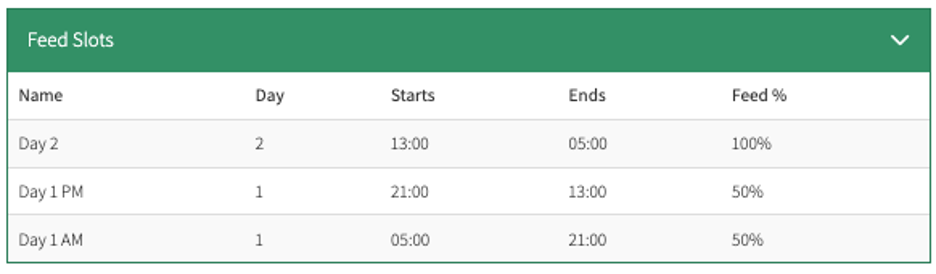
Your Feed Slots will now show as three slots under the herd’s details
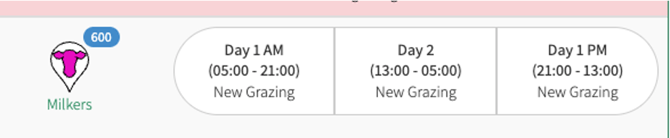
You are now able to enter your grazings by selecting from the available 16 hour grazing options
It is easy to revert from 16 hour grazing if you are swapping for example from 16 hour milking to twice a day. Just enter a '1' in the Days/Cycle. Delete the 16 hour milking feed slots, and make two new feed slots. The same principal applies should you go to once a day milking or want to feed a dry herd 24 hour breaks.
How to Enter a Grazing
How to Edit a Grazing