
-
Scroll down to your Map
-
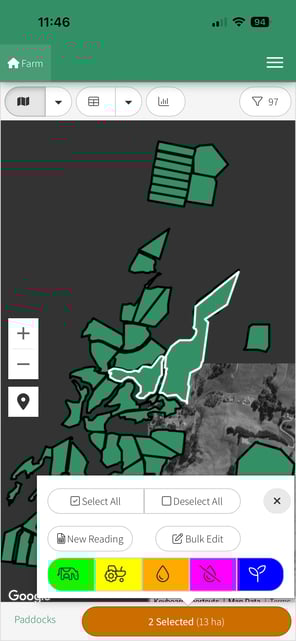
Select your paddock(s)
-
Click on the orange Action Bar at the bottom of the screen and Select the Blue Planting Icon
-
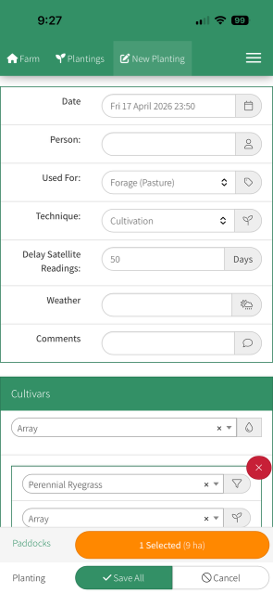
The New Planting window will open
-
Enter the details of the new Planting
Tip: The options in the Used For drop down (Forage (other), Forage (pasture), Fodder & Crop) will interact with the feed wedge in different way, learn about this here.
-
Click on Save All when you are happy with the details you have entered.
-
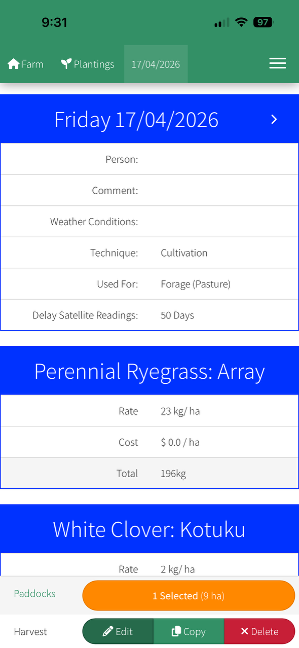
The next screen will show you a summary of the Planting that you just saved where you can Edit, Copy, Delete.
Tip: To create a cultivar preset, enter the planting details, type a name ie Purple Mix, and click Save in the preset box. This will store it as a preset for future use.