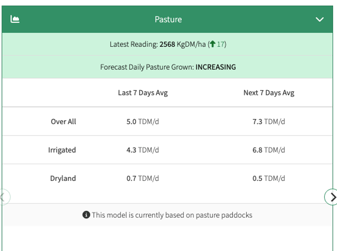
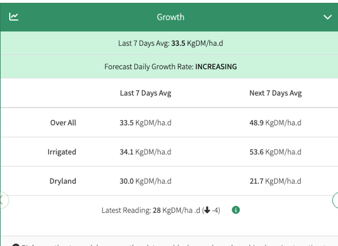
Once set, your Growth and Pasture reports will display results as:
- Overall
- Irrigated
- Dryland
This allows you to compare performance across irrigation systems and make more informed management decisions.
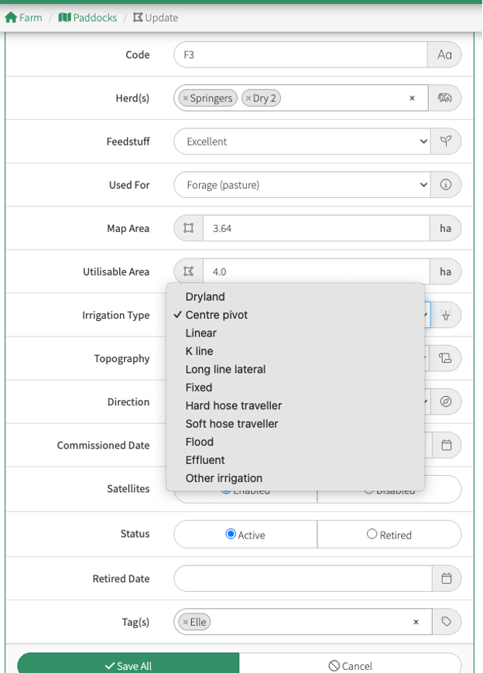
To set up Individual Paddock Irrigation
- From your home screen
- Click on the Paddock
- Click Edit Details
- Select the relevant Irrigation type
- Select Save All
To set up Multiple Paddock Irrigation
- From your home screen
- Click on the Paddocks (to select more than one paddock, hold Shift and left click)
- Click on the orange Action Bar below your map
- Select Bulk Edit
- Select the relevant Irrigation type
- Select Save All

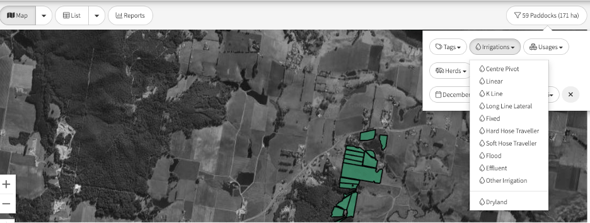
Viewing Reports by Irrigation TypeOnce irrigation settings are applied, you can filter your Feed Wedge and Reports by selecting Irrigation from the filter menu.