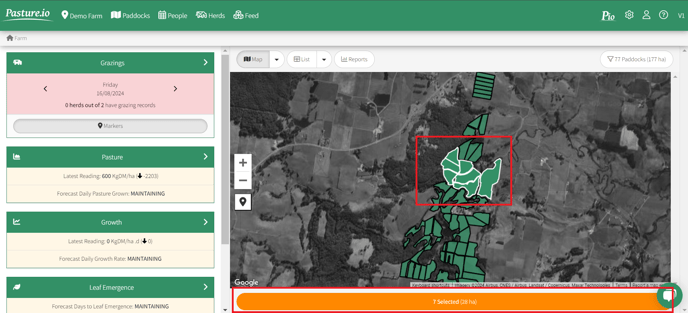
1. Select the paddocks for which you want to enter a planting record. Note: you can hold the SHIFT key in order to select multiple paddocks. Otherwise, you can simply click each one individually.
2. Click the long orange button below the map that indicates how many paddocks (and corresponding hectares) you've selected.
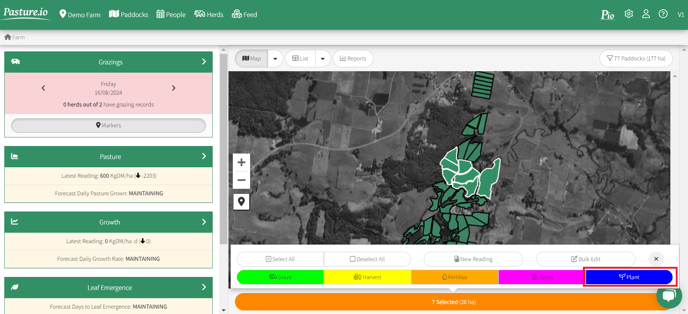
3. Click the blue button PLANT.
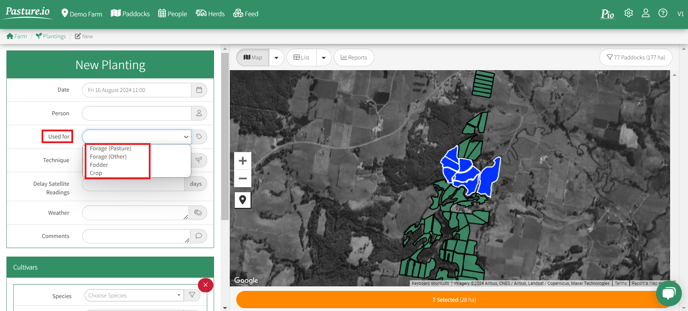
4. Now you can enter the details of the Planting.
- Date: this can be for a date that has passed, today or a planned plating for a future date.
- Used For: this is very important. If you select Forage (Pasture), then the paddock remains in the feed wedge and the average pasture calculation. If you select Forage (Other), Fodder or Crop, then the paddock will not be in the feed wedge and not included when calculating the average pasture cover.
- Forage (Pasture) - ryegrass, kikuyu, cocksfoot, prairie grass, chicory, plantain, clover can be set to Forage (Pasture), as well as any related mixes. Some experimental types include lucerne (as it grows like a shrub), sorghum and tropical grasses (as they are usually grazed at a much higher height). You can set these to Forage (Pasture), but understand there could be limitations. Otherwise, set to Forage (Other). We've also had good success with other crops such as cereals like millet and oats that are grazed vegetatively like pasture. These can be set to Forage (Pasture).
- Forage (Other) - any forage crops that are typically brassicas such as kale, turnips and fodder beet.
- Fodder - any fodder crops you grow.
- Crops - any crops you grow.
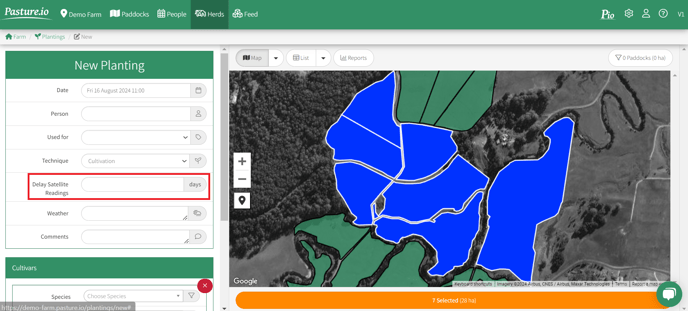
5. Set a SATELLITE DELAY. When a paddock is the colour or soil or dead matter, the satellites experience the issue of soil reflectance. This can mess around with your readings. To avoid this issue, set a satellite delay to cover the time between planting and decent growth on the paddock.
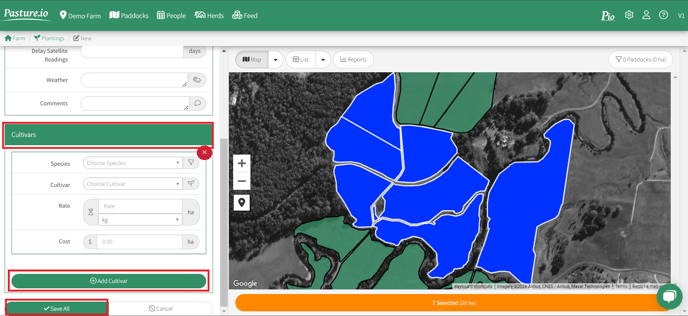
6. Enter the species and cultivar of what you're planting, as well as the rate of planting and cost (for your records). If you're planting a mix, click ADD CULTIVAR to enter the second, third etc. species.
Save All.